 LeadShark
ManyChat for LinkedIn: The Comment-to-DM Alternative

Ruz, Founder LeadShark · Jun 16, 2026 · Updated Nov 13, 2026 · 8 min read
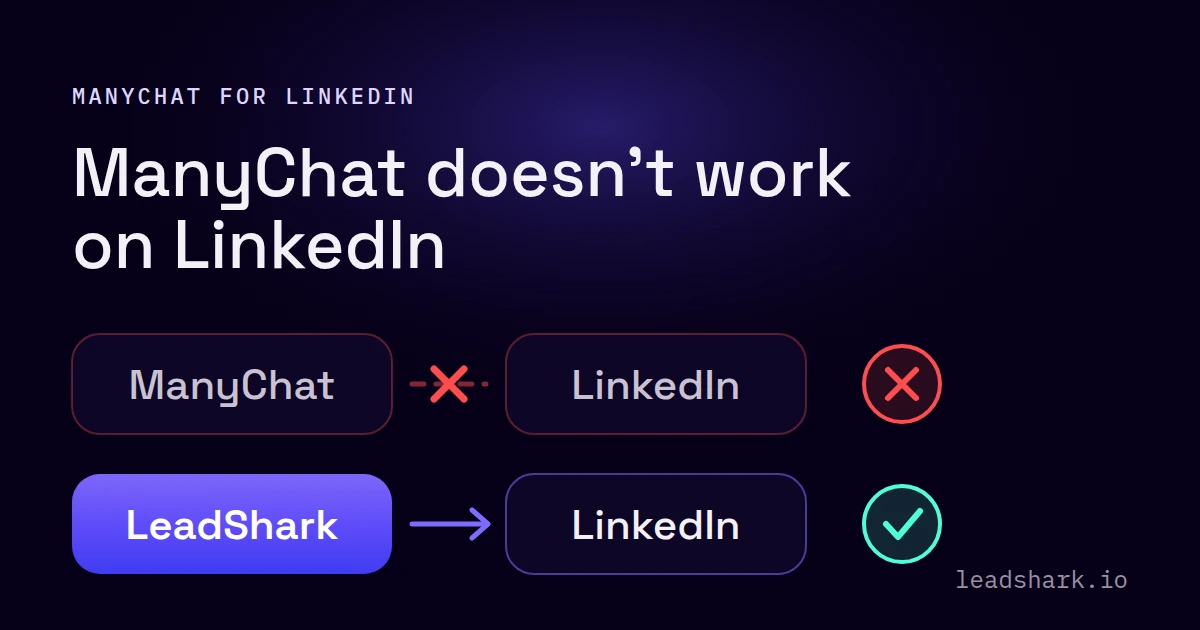
Is there a ManyChat for LinkedIn? Yes. LeadShark does comment to DM on LinkedIn the way ManyChat does on Instagram: someone comments your keyword, they get a reply under their comment and your resource in their DMs, in under 10 minutes on average. See how it works on the LinkedIn comment to DM tool page.
ManyChat itself has no LinkedIn channel. For the short answer on why, and why Zapier can't fill the gap, see Does ManyChat work on LinkedIn?.
If you want the ManyChat-style "comment a keyword, get the resource in your DMs" flow on LinkedIn, you need a tool built for LinkedIn. I built LeadShark for exactly that, so I'm biased. I'll still tell you where other tools are the better pick.
Looking for ManyChat on LinkedIn?
ManyChat doesn't have a LinkedIn channel, and there's no official integration to connect a profile or company page to it. The longer explanation, including the workarounds people try, is in Does ManyChat work on LinkedIn?.
The rest of this guide is about the alternative: how comment-to-DM works on LinkedIn, how LeadShark compares, and how to set it up.
What people actually want from "ManyChat for LinkedIn"
Almost nobody searching this wants a chatbot. They want this:
- Post something useful: a template, a guide, a checklist.
- Ask people to comment a word like "GUIDE".
- Everyone who comments gets a reply and a DM with the link, within minutes, without you touching anything.
- You end up with a list of who asked, and you know who actually clicked.
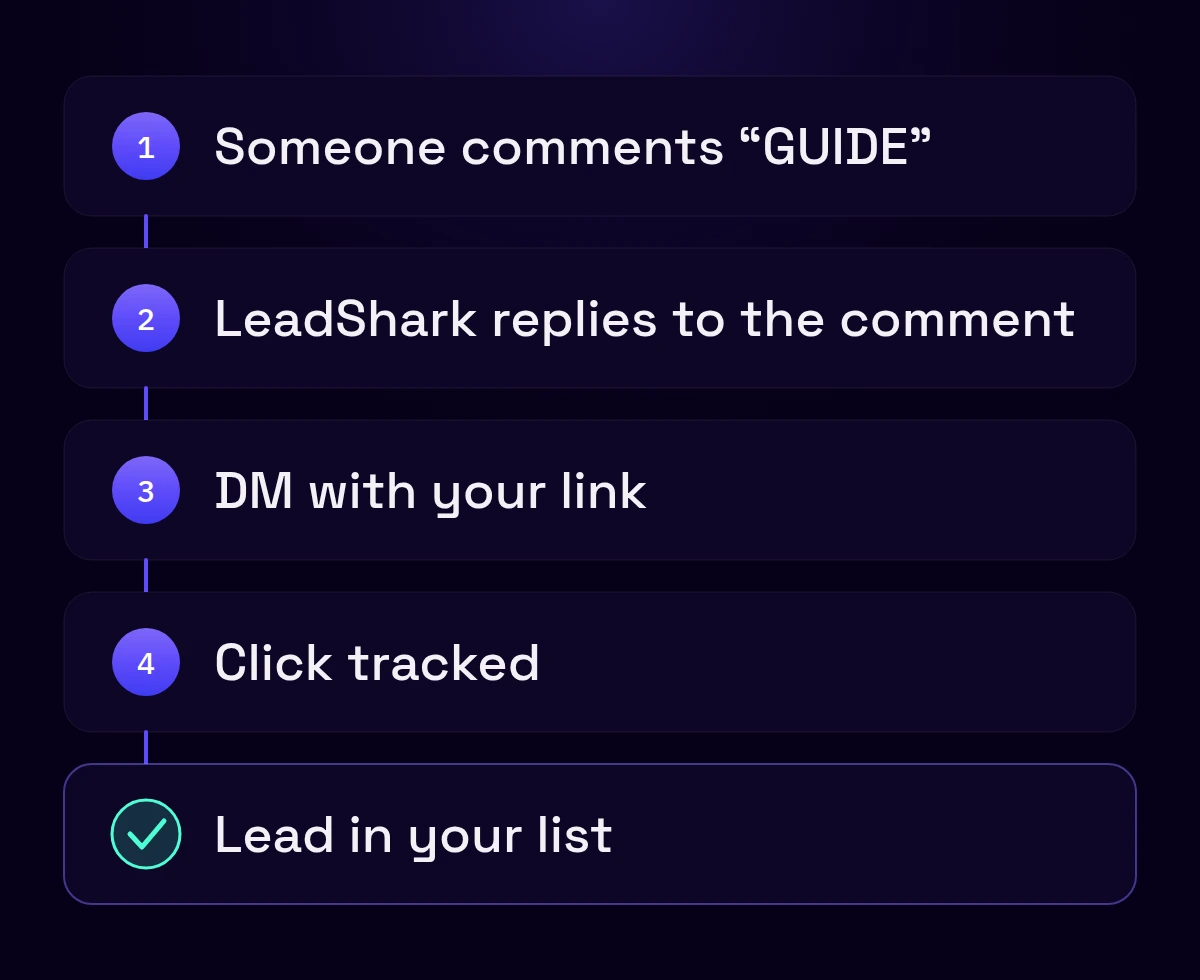
That's lead magnet automation for LinkedIn. I wrote up the full flow in the LinkedIn lead magnet funnel explained.
The ManyChat alternative for LinkedIn: LeadShark
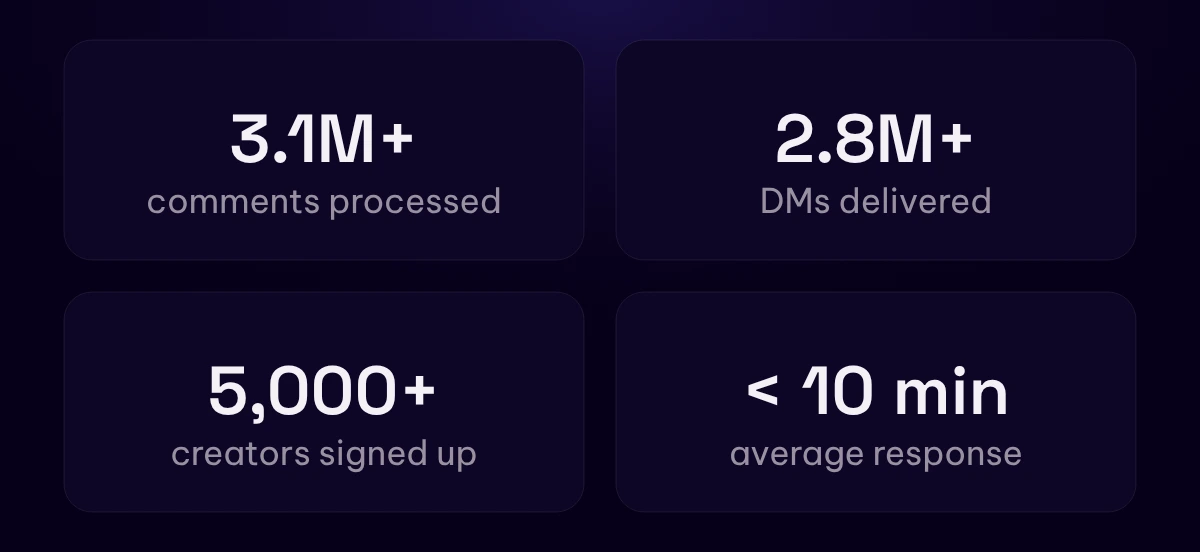
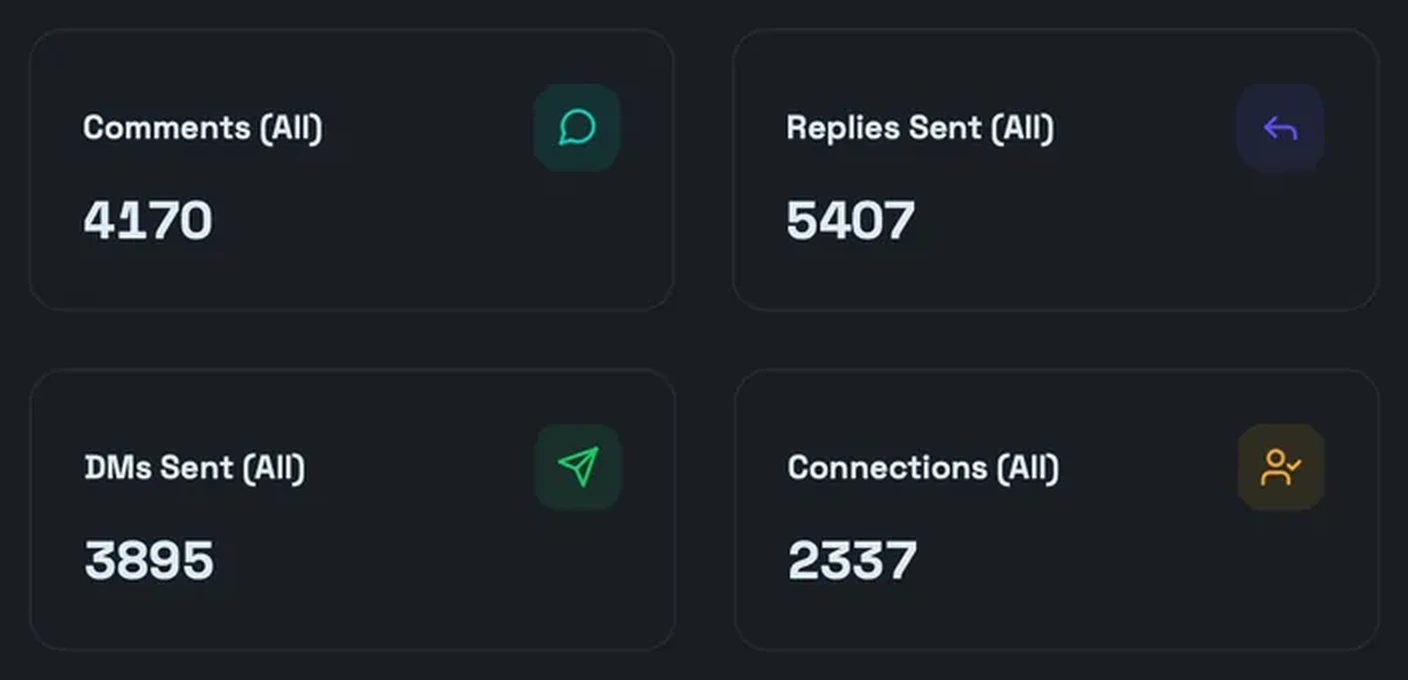
LeadShark does the comment-to-DM flow natively on LinkedIn. It's been live since September 2024, has processed 3.1M+ comments and delivered 2.8M+ DMs for 1,500+ creators, and we're based in Tallinn, Estonia. On average, commenters get a response in under 10 minutes.
ManyChat vs LeadShark at a glance
| ManyChat | LeadShark | |
|---|---|---|
| Channels | Instagram, Messenger, WhatsApp, TikTok, Telegram, SMS, email | |
| Works with LinkedIn | No | Yes |
| Comment-to-DM on LinkedIn posts | No | Yes |
| Keyword triggers | Yes (on its channels) | Yes, optional |
| Public reply to the comment | Yes (on its channels) | Yes |
| LinkedIn company page posts | No | Yes (see below) |
| Best for | B2C, Instagram creators, support | B2B creators, founders, agencies on LinkedIn |
How LinkedIn comment-to-DM works in LeadShark
- Pick a post. A live post, a scheduled one, or your next post, so it's ready the moment you publish.
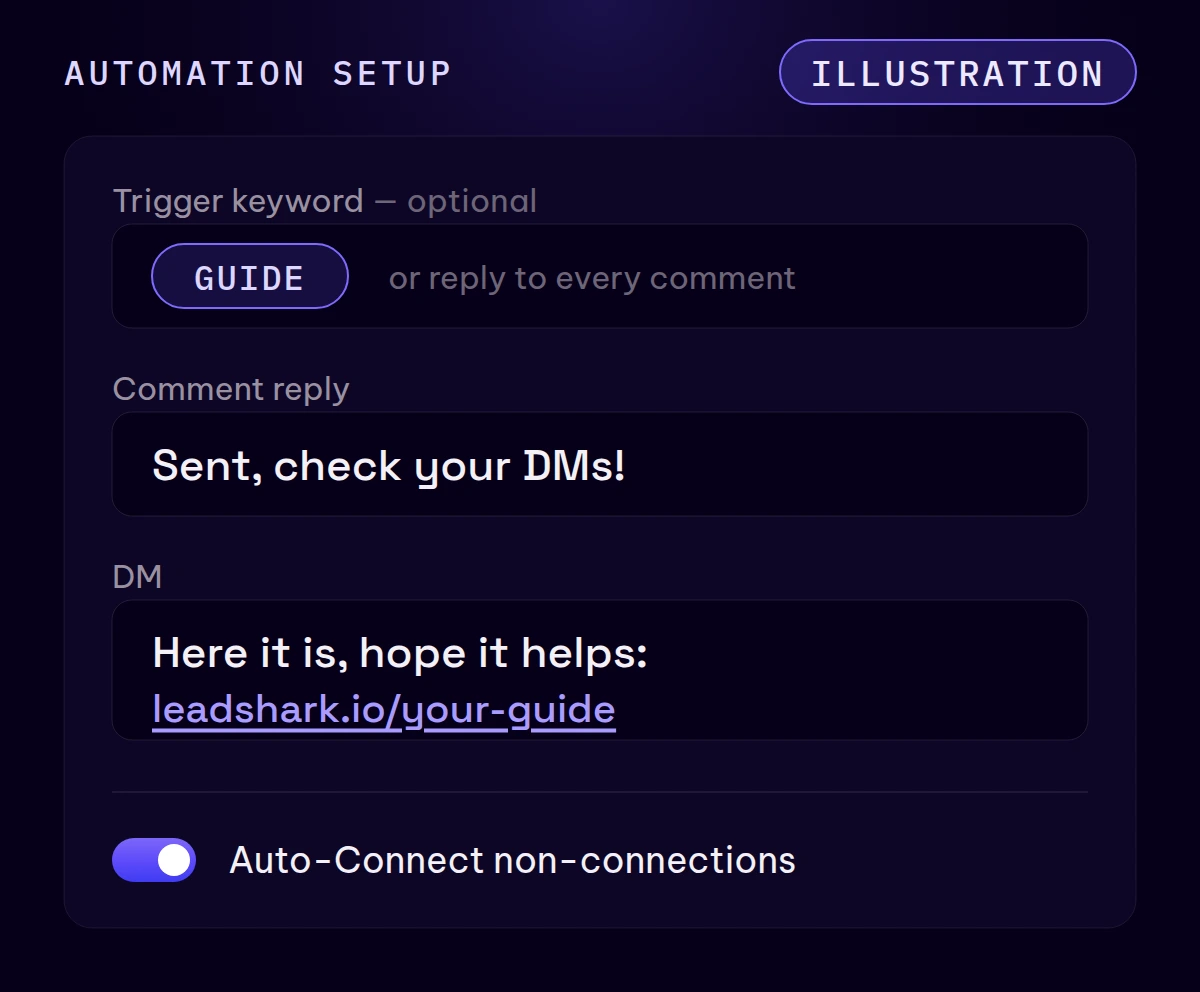
- Set a keyword (optional). Reply only to comments with "GUIDE", or to everyone.
- Write your comment reply. Something like "Sent, check your DMs!" You write the templates. We don't generate replies with AI.
- Write your DM with the link to your resource.
- Turn it on. LeadShark replies to each commenter and sends the DM.
It runs in the cloud, so automations keep working when your laptop is closed. You use our Chrome extension once at the start to connect your account, and never again. There's no extension to keep open and nothing clicking around in your browser.
For a deeper walkthrough, see turning LinkedIn post comments into automated DMs and leads. To see the product itself, plans and use cases for coaches, agencies and SaaS founders, go to the LinkedIn comment to DM tool.
Can you DM commenters you're not connected to?
This is where most LinkedIn tools get stuck, and it's usually the biggest share of comments on a post that does well. LinkedIn doesn't let you DM people you aren't connected to the normal way. LeadShark handles it two ways:
- On every plan: LeadShark sends the commenter a connection request, then delivers your resource once they accept. You don't have to watch for it.
- On Apex: you can DM commenters you're not connected to directly, without waiting for them to accept.
Connection requests are capped daily and weekly, so a huge post gets worked through steadily rather than all at once.
Does ManyChat work with LinkedIn company pages?
No. ManyChat has no LinkedIn support, so company pages are out too.
On LinkedIn itself there's a catch: company pages can't send DMs. Nobody can change that. So in LeadShark it works one of two ways:
- Automate as me (Apex): people comment on your company page post, and the DMs go out from your personal profile.
- Auto-reply as the Page (Apex): the Page replies publicly to comments, as the Page. No DMs, because LinkedIn doesn't allow them from Pages.
ManyChat lead generation vs LinkedIn lead generation
ManyChat lead generation is about collecting emails and phone numbers inside a chat flow. On LinkedIn the mechanics differ, but the goal is the same: turn people who raised their hand into contacts you can follow up with. In LeadShark that looks like:
- Click tracking via short links, so you see who opened the resource, not just who commented.
- Email-gated pages (1 on Pro, 100 on Pro+, unlimited on Apex): the lead enters their email to get the resource.
- Up to 3 follow-ups to people who didn't reply.
- Kit and Beehiiv sync, plus webhooks and CSV/CRM export for everything else.
Is LinkedIn comment automation safe?
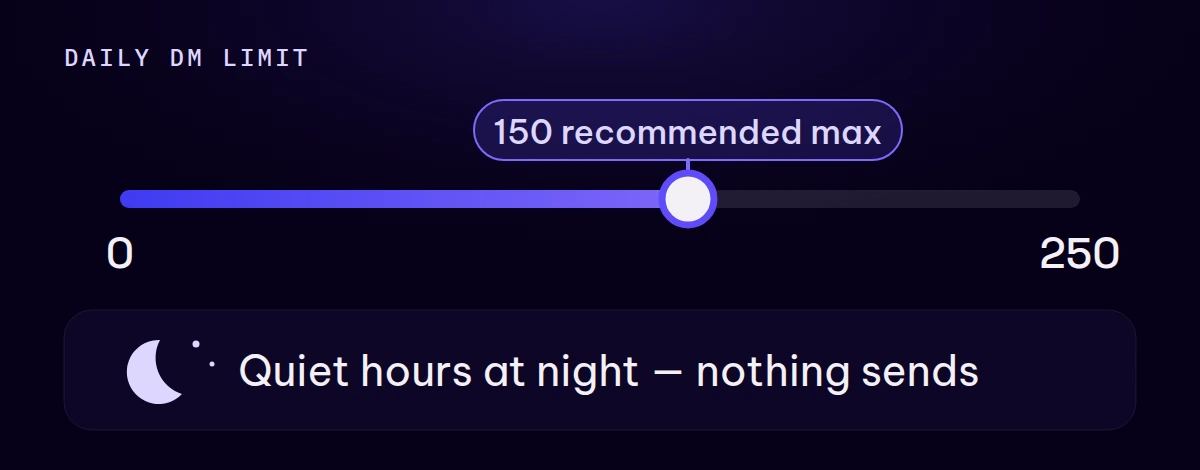
I can't promise your account is safe, and no tool honestly can. What I can promise is how LeadShark behaves: it works at a human pace and inside a daily cap. On paid plans you set your own limit from 0 to 250 DMs a day (we recommend a maximum of 150), and the free trial is capped at 50 a day. Here's what we do to keep your account looking like a person:
- Human pacing. Actions are spaced out the way a person would do them, not fired off in a burst.
- Limits learned from real use. Our daily limits come from 10M+ real LinkedIn actions.
- Quiet hours. Nothing goes out during an off-hours window at night.
- Your words, not AI. You write the reply and DM templates, so the messages sound like you.
- Opt-in only. We only DM people who commented on your post and asked for the resource. It isn't cold outreach.
- Capped connection requests, daily and weekly.
You set your own daily DM limit, anywhere from 0 to 250 a day, on every plan, and we recommend a maximum of 150.
My honest advice: start with posts your audience actually wants something from, keep your DMs short and personal, and don't treat it as a mass-messaging tool.
For the wider landscape, see our roundup of LinkedIn automation tools. For DM tools specifically, see LinkedIn DM automation tools compared. If you scrape commenters and then DM them by hand, see the PhantomBuster alternatives compared on price, DMs, links and speed. For one tool at a time, our LeadShark comparison pages put each comment-to-DM tool next to LeadShark feature by feature.
Pricing
- Pro, $39/mo: 10 running automations, auto-DM and reply to commenters, scheduled posts, click tracking, webhooks, API.
- Pro+, $59/mo (most popular): 100 automations, auto-like, 100 email-gated pages, Discover top lead magnets, repost triggers, Automation and Discover MCPs.
- Apex, $119/mo: unlimited automations, DMs to people you're not connected to, company page auto-reply as the Page, visitor and follower webhooks, Apex MCP.
- LeadShark Teams for agencies: 3 or more accounts on one bill, from $30 per account a month, in any mix of Pro, Pro+ and Apex.
Every plan starts with a 7-day free trial, no card, cancel anytime. Apex also has a one-time 72-hour Apex trial you can switch on in Settings. Yearly billing saves 17%, which is 2 months free. Full details on the LeadShark pricing page.
FAQ
Is there a ManyChat for LinkedIn?
Yes. LeadShark does comment to DM on LinkedIn the way ManyChat does on Instagram: when someone comments your keyword on a LinkedIn post, it replies under their comment and sends your resource by DM, in under 10 minutes on average. ManyChat itself doesn't connect to LinkedIn, so you need a LinkedIn-native tool like the LeadShark LinkedIn comment to DM tool.
Does ManyChat work on LinkedIn?
No. LinkedIn isn't one of ManyChat's channels. The full answer is in Does ManyChat work on LinkedIn?.
Is there an official ManyChat LinkedIn integration?
No. ManyChat has no official LinkedIn integration. For why, see Does ManyChat work on LinkedIn?.
How do I connect ManyChat to LinkedIn?
You can't. There's no "Connect LinkedIn" option in ManyChat. The workarounds, and why they fall short, are in Does ManyChat work on LinkedIn?.
What is the best ManyChat alternative for LinkedIn?
If you want the ManyChat comment-to-DM flow on LinkedIn, LeadShark was built for exactly that. It replies to commenters, DMs them your resource, handles people you aren't connected to, and tracks who clicked. You can try it free for 7 days without a card. Full comparison: ManyChat alternative for LinkedIn.
Can I DM commenters I'm not connected to?
Yes. On every LeadShark plan we send a connection request and deliver your resource once they accept. On Apex you can DM them directly without waiting.
Can I automate LinkedIn company page comments like ManyChat?
Partly. LinkedIn company pages can't send DMs, so LeadShark either sends the DMs from your personal profile or has the Page auto-reply publicly to comments (both on Apex).
Is LinkedIn comment automation safe?
No tool can guarantee it. What lowers the risk is human pacing, a daily cap you set yourself, quiet hours, messages you wrote yourself, and only DMing people who asked. That's how LeadShark works.
Can I use ManyChat and LeadShark together?
Yes. Keep ManyChat for Instagram and use LeadShark for LinkedIn. Both can feed the same newsletter or CRM, so your leads end up in one place.
Try it on your next post
If your buyers are on LinkedIn, put your next lead magnet post on autopilot. Every commenter gets a reply and your resource in their DMs, even the ones you're not connected to.
Start your 7-day free trial. No card, cancel anytime.
Related: ManyChat Alternative for LinkedIn (2026): Honest Comparison and Does ManyChat Work on LinkedIn? (Short Answer: No).

Written by
Ruz
Founder LeadShark
Put your lead magnets on autopilot
Reply to every commenter and deliver your resource in DMs, automatically. 7-day free trial, no card.
Start automating for free